Free
Your accounts and proxies database, plus the built-in messenger. Free forever.
Free
1 device
Included with every plan
- Account Manager
- Messenger
No automation modes — add a plan or buy a mode outright.
Multogram is a multi-account Telegram workspace. Accounts and proxies in one database, profile warm-up, mailing, commenting and inviting — across the whole pool, from a single panel on your own machine.
Windows 10/11 · 64-bit
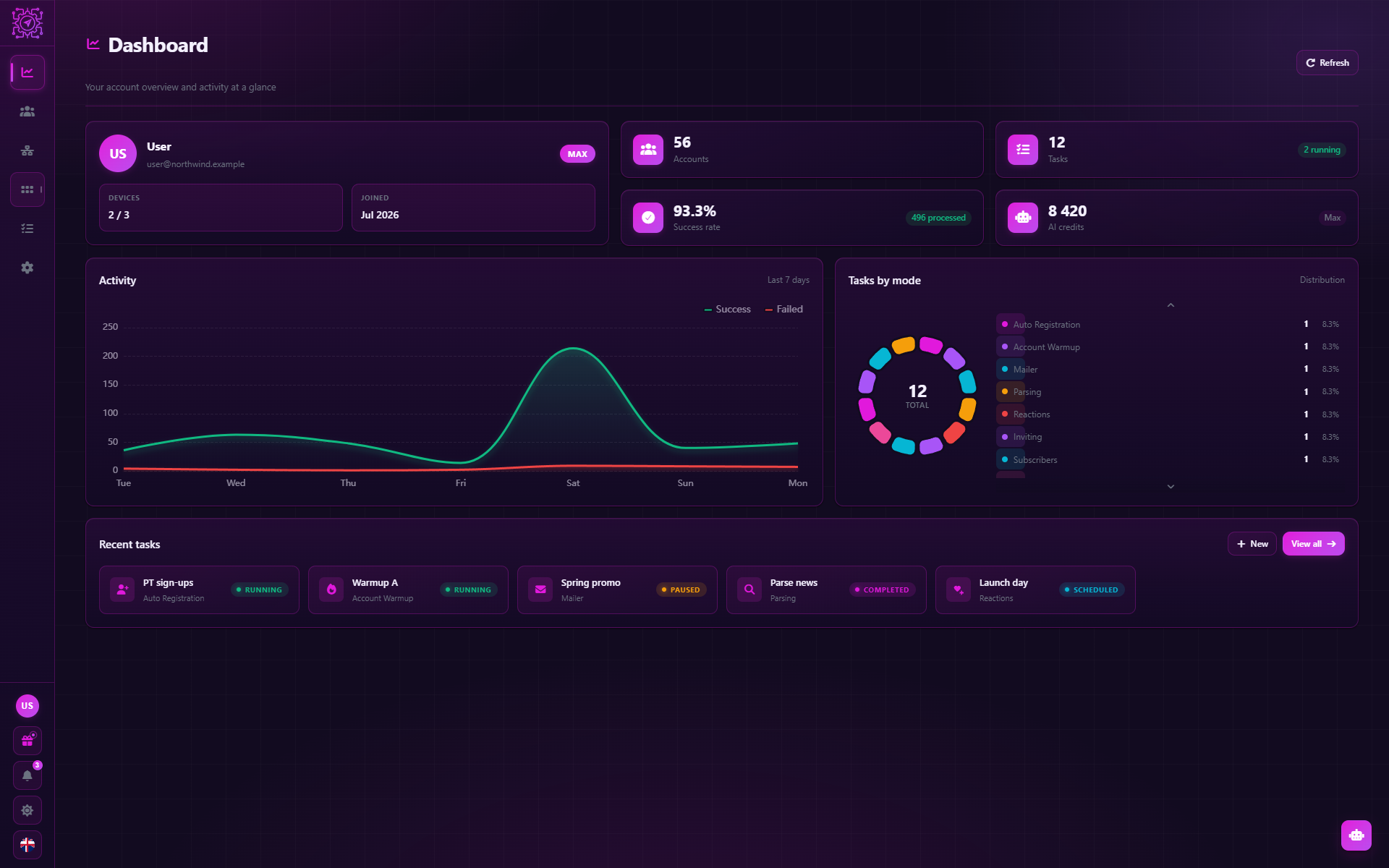
Dashboard
Your account overview and activity at a glance
Activity
Last 7 daysTasks by mode
DistributionRecent tasks
From warming a single profile up to working the whole pool in parallel — a mode runs on the accounts you pick and they go at once, each behind its own proxy and at its own pace.
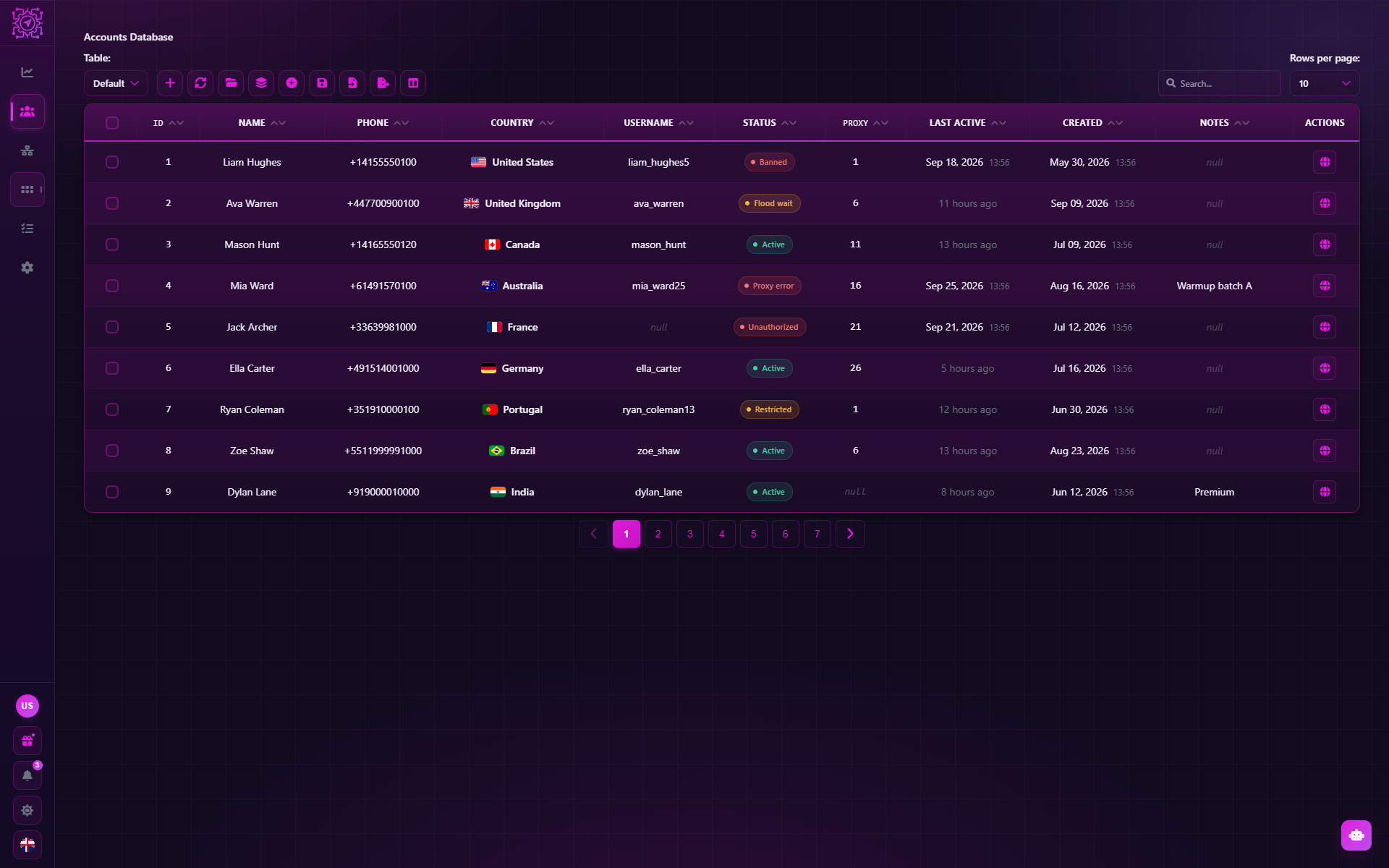
The accounts and proxies database: session import, statuses and a proxy bound to each account.
The built-in chat: several accounts open at once, writing from any of them in one click — no window juggling.
Registers new accounts: the standard sign-in flow with the chosen device and proxy, profile setup and a saved session. Numbers are supplied by the user.
Imitates ordinary activity — reading posts, subscribing, reacting and chatting between your own accounts — so an account has a history before real work.
Sends direct messages from the account pool to a recipient list: static text, a random variant, a template, AI generation or a forwarded post.
Comments on channel posts from the account pool: a single pass over found posts, or a round-the-clock watch for new ones.
Collects Telegram data: message history, a live message feed or a group's member list — filtered and exported to CSV, XLSX, JSON or SQLite.
Edits already-sent messages in bulk: takes records saved by Mailer or Comment Bot and rewrites the text from the very account that sent it.
Invites a list of users into your channel or group using your working accounts: rights handout, audience split by limits, and delays.
Views posts, channels and stories from the account pool: each account opens every target, pausing between actions.
Puts reactions on posts: every account in the pool leaves a random emoji from your palette on each target post.
The library of installed modules — sealed automation scenarios with their own interface, launched as standalone tools.
Build your own automation modules in the visual Workflow Builder — your own settings interface and your own logic.
Batch-converts sessions between .session files, TData and TData (Android) — pure file work, no accounts started.
Ask right in the application window, or connect your own AI client over MCP — the AI knows Multogram, sees your tasks and helps you set them up.
A chat in the application window. It answers questions about Multogram, and on Pro and Max it acts for you: creates and runs tasks, adds accounts and proxies, fills in fields.
What you can ask
No API key of your own needed
More about the assistantConnect Claude, Cursor, VS Code, Codex or any other MCP client to Multogram. The agent sees tasks, logs, accounts and proxies, traces errors through the documentation, and on Pro and Max sets up modes — with your confirmation.
What you can ask
On every plan, Free included
How to connect an agentThe desktop client's own interface, running here on the page: the account database, the task queue across the pool and the automation drawer — the same screens the app has.
Pick any tab to explore it yourself
Your pool, your throughput and every task in flight — the screen the app opens on.
Dashboard
Your account overview and activity at a glance
Activity
Last 7 daysTasks by mode
DistributionRecent tasks
Real captures from the shipping desktop client — browse the gallery and open any shot for a closer look.
Dashboard
1 of 22Start free with the account database and the messenger, rent modes on a plan, or buy a mode outright — no plan caps how many accounts your pool holds.
Your accounts and proxies database, plus the built-in messenger. Free forever.
Included with every plan
No automation modes — add a plan or buy a mode outright.
Work an existing pool: preparation, parsing, mailing, commenting.
Included with every plan
12 automation modes
Production and reach: registration, warmup, inviting, boosting, modules.
Included with every plan
20 automation modes
Buy a single mode outright and keep it forever — it works on any plan, including Free.
Edits already-sent messages in bulk: takes records saved by Mailer or Comment Bot and rewrites the text from the very account that sent it.
Also unlocked by Pro
$39
Get moduleApplies Telegram privacy settings across the pool: six independent parameters, each with its own value.
Also unlocked by Pro
$39
Get moduleBatch-converts sessions between .session files, TData and TData (Android) — pure file work, no accounts started.
Also unlocked by Pro
$39
Get moduleRestyles the whole pool's profiles: first and last name, bio, username and avatar — each field from its own source of values.
Also unlocked by Pro
$59
Get modulePublishes stories to an account's profile from a media folder: a shared caption, privacy, and a 12- or 24-hour lifetime.
Also unlocked by Max
$79
Get moduleCreates channels and supergroups across the pool: a name from a list or template, a free @username, description and avatar.
Also unlocked by Max
$79
Get moduleCopies posts from source channels into one of yours: media posts are mirrored as-is, text posts rebuilt by your rules.
Also unlocked by Max
$79
Get moduleA content pipeline: watches source channels and moves new posts into yours — copied or rewritten by AI, instantly or after your approval.
Also unlocked by Max
$79
Get moduleViews posts, channels and stories from the account pool: each account opens every target, pausing between actions.
Also unlocked by Max
$79
Get modulePuts reactions on posts: every account in the pool leaves a random emoji from your palette on each target post.
Also unlocked by Pro
$79
Get moduleWatches incoming messages and answers automatically: rule chains or AI pick the reply — static text, a template or a generated message.
Also unlocked by Pro
$99
Get moduleMass joins channels and groups: each account in the pool subscribes to the targets on your list, pausing between joins.
Also unlocked by Pro
$99
Get moduleCollects Telegram data: message history, a live message feed or a group's member list — filtered and exported to CSV, XLSX, JSON or SQLite.
Also unlocked by Pro
$129
Get moduleSends direct messages from the account pool to a recipient list: static text, a random variant, a template, AI generation or a forwarded post.
Also unlocked by Pro
$149
Get moduleImitates ordinary activity — reading posts, subscribing, reacting and chatting between your own accounts — so an account has a history before real work.
Also unlocked by Max
$179
Get moduleComments on channel posts from the account pool: a single pass over found posts, or a round-the-clock watch for new ones.
Also unlocked by Pro
$199
Get moduleInvites a list of users into your channel or group using your working accounts: rights handout, audience split by limits, and delays.
Also unlocked by Max
$199
Get moduleRegisters new accounts: the standard sign-in flow with the chosen device and proxy, profile setup and a saved session. Numbers are supplied by the user.
Also unlocked by Max
$249
Get moduleEverything you need to know about plans, devices, and payments.
Create a free account, connect your profiles, and start tasks across the pool at once.
Windows 10/11 · 64-bit